

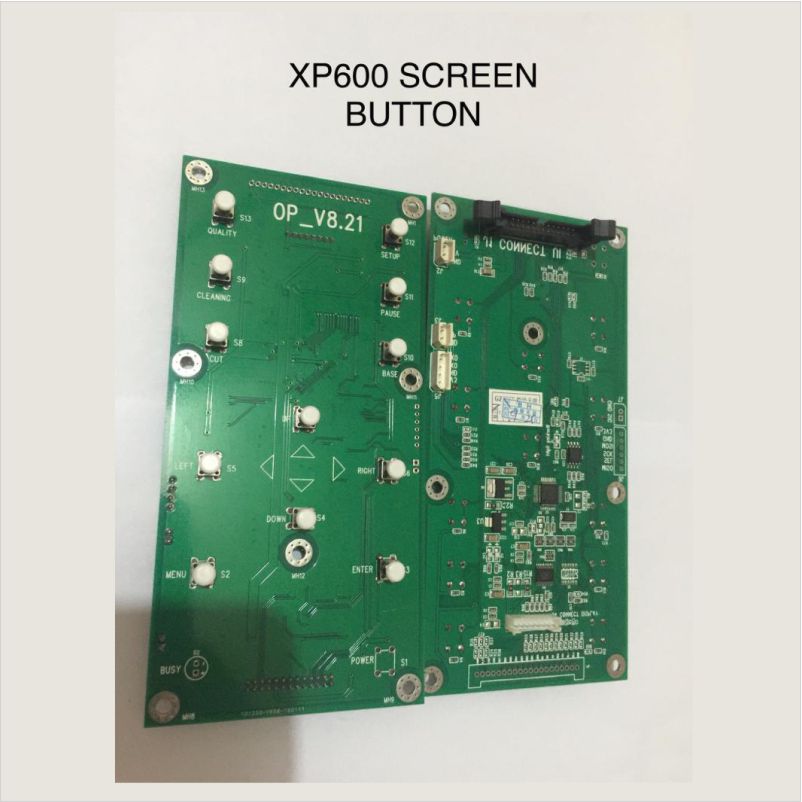
XP600 SCREEN BOTTON Printer Key Board 6 Buttons with Screen for Epson Overview & Purpose The XP600 Screen Button is an essential user-interface component designed for printers equipped with the XP600 printhead system. Specifically, it provides operators with direct access to key printer functions through an intuitive control panel. As a result, it simplifies machine operation, enhances workflow efficiency, and ensures smooth execution of printing tasks. Consequently, the screen button plays a central role in enabling accurate configuration, effective monitoring, and quick adjustments during printing. Key Features 1. Responsive Touch or Physical Interface First, the XP600 screen button offers highly responsive feedback, allowing operators to navigate menus quickly and accurately. Additionally, its ergonomic layout enhances ease of use, even during fast-paced production. Moreover, the interface minimizes input errors, ensuring reliable command execution. 2. Durable and Long-Lasting Construction Furthermore, the screen button is constructed from high-quality materials that resist wear, dust, moisture, and chemical exposure. As a result, it maintains performance even in demanding printing environments. Consequently, operators experience fewer interruptions and longer-lasting control reliability. 3. Seamless System Integration In addition, the button integrates seamlessly with the printer’s main board and firmware, ensuring synchronized communication. Therefore, menu selections, settings adjustments, and status checks are processed quickly and accurately. Moreover, improved integration enhances overall machine stability. 4. Clear Visual Indicators Specifically, the button’s display provides real-time operational indicators such as print status, warnings, and calibration settings. As a result, users can monitor system performance at a glance. Furthermore, these indicators help prevent errors by giving immediate feedback during operation. Benefits First, enhances operator control with a user-friendly interface. Additionally, improves workflow efficiency through fast, accurate navigation. Moreover, reduces downtime by offering clear system status and quick access to settings. Furthermore, durable construction ensures long-term stability and consistent performance. Finally, seamless integration contributes to smoother, more reliable printing operations. Applications XP600-based UV flatbed printers XP600 eco-solvent and solvent printers Wide-format printing systems requiring operator-front interfaces Digital textile and hybrid printers using XP600 technology Considerations However, proper wiring and firmware compatibility must be ensured to avoid control errors. In addition, regular cleaning of the button surface helps maintain touch accuracy and visibility. Moreover, operators should avoid applying excessive pressure to prolong component life. Finally, professional installation is recommended for safe and correct integration.