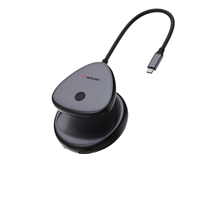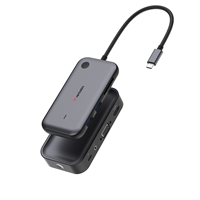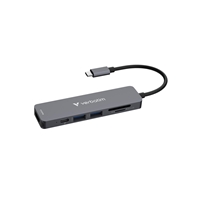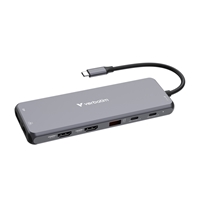

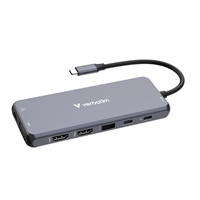
DescriptionVerbatim USB-C Pro Multiport HubProduct DetailsTransform a single USB-C port into fourteen ports including dual HDMI, VGA, and gigabit ethernet connection2 x HDMI, 1 x VGA, 1 x RJ45, 3 x USB-A 3.2 Gen1, 1 x USB-C 3.2 Gen1, 2 x USB-A 2.0, 1 x SD card slot, 1 x microSD card slot, 1 x Audio jack, 1 x USB-C PDTriple 1080p video outputDual 4K HDMI display supportVGA socket for legacy monitor supportEquipped with a combination of USB-A and USB-C ports for connecting multiple devicesIntegrated SD and microSD memory card slotsGigabit ethernet port for high speed, wired internet accessDual USB-C Power Delivery – charge devices while using the hub with pass-through chargingVerbatim 2 year limited warranty.Diverse ConnectivityCMH-14: 2 x HDMI | VGA | RJ45 | 3 x USB-A 3.2 Gen1 | USB-C 3.2 Gen1 | 2 x USB-A 2.0 | SD | microSD | Audio Jack | USB-C PDThe Verbatim USB-C Pro 14-Port Multiport Hub comes with a huge variety of connections. With fourteen ports, including dual HDMI ports plus a VGA port for legacy monitor support, multi-screen working and viewing is possible. The many USB ports including five USB-A and two USB-C, one of which is USB-C PD provide possibilities for multiple devices with the benefit of a wired internet connection via the gigabit ethernet port. For budding photographers, the hub has both an SD and microSD memory card slot for the quick and easy transfer of photos and videos. Finally the 3.5mm audio port makes using speakers or a headset simple and convenient.Connect to Three DisplaysThe two HDMI ports on the Pro Multiport Hub allows you to expand your display onto dual compatible TVs or monitors. It supports Ultra HD 4K razor-sharp resolutions, providing feature-rich content for the ultimate immersive experience. There is also a VGA input for legacy monitor support at 1080p resolution. These can all be used at once for triple screen working.Gigabit Ethernet connectionThe Pro Multiport Hub also features a Gigabit ethernet port (RJ45). Ideal for when the wireless connection is inconsistent or unstable, you can now connect your laptop to the wired network by plugging in a gigabit ethernet cable.Connect your Mouse, Keyboard, Hard Drive, USB Drive and moreGet the most out of your devices, no matter the connection. Three USB-A ports and the USB-C port are USB 3.2 Gen1, supporting speeds of up to 5Gb/s. For connection to some legacy devices, there are two USB-A 2.0 ports which offer speeds of up to 480Mb/s. Connect all your desktop accessories, old and new plus any external storage with ease.Budding photographer in need of a card reader?The 14-Port Hub also comes with SD and microSD memory card slots. With read speeds of up to 104MB/s and write speeds of up to 80MB/s, image and data transfer is fast and super convenient.Immersive SoundConnect some desktop speakers or a headset via the 3.5mm audio and microphone port. When laptops become streamlined, a headset jack is one of the first to be lost. No need to rely on other connections, just simply plug into the hub and experience uninterrupted sound.Power ChargingThe USB-C PD (Power delivery) port provides uninterrupted pass-through charging. Some laptops only come with one USB-C port, so once you have added a hub, there is no extra port to plug in power. The USB-C port on the Pro Multiport hub allows pass through charging from the power source, allowing the laptop to be charged up to 85W (15W reserved for other ports) while using all the other ports on the hub.SpecificationsInterface: 2 x HDMI, one is 4K@60Hz, the other is 4K@30Hz, 1 x VGA, up to 1080p, 1 x RJ45, up to 1Gb/s, 3 x USB-A 3.2 Gen1, up to 5Gb/s, 1 x USB-C 3.2 Gen1, up to 5Gb/s, 2 x USB-A 2.0, up to 480Mb/s, 1 x Audio jack, 1 x SD 3.0, 1 x microSD 3.0, 1 x USB-C PD, up to 100WData Transfer Rate: up to 5GbpsHMDI Frequency: up to 4K/60HzProduct Weight: 125 grams approxProduct Dimensions: 140mm x 55.4mm x 15mm (L x W x H)Cable Length: 15cmVoltage Range: 5V-20VMax. Current: USB output 5V/0.9APower Delivery: up to 85W (15W is reserved for other ports)Operating Temperature: 0 – 40 CStorage Temperature: -20 – 70 CSystem RequirementsUSB-C host portWindows OS 11, 10, 8, 7 (X86/X64)Mac OS 10.2 or aboveChrome OS, Linux, Android 7 or abovePack ContentsUSB-C Multiport Hub CMH-14Quick Start Guide
Related Products
-
Prevo C501R 4-In-1 USB-C Networking Hub Docking Station with RJ-45 Gigabit Ethernet, 60W Passthrough, USB-A USB 3.0, 4K HDMI for PC, Laptop, Tablet – Windows & Mac iOS Compatible
$ 20.67 This product has multiple variants. The options may be chosen on the product page